

People holding American flags

HOW DOES
IT WORK?

Campaign Verify:

Validates that campaigns are, in fact, who they say they are.
Creates Authorization Tokens which signal to The Campaign Registry, wireless carriers, and service providers that they have been verified.
Verifies sender email domains, which are shared with participating email service providers.

STEP-BY-STEP INSTRUCTIONS TO COMPLETE AN IDENTITY VERIFICATION REQUEST

01

If you are new to Campaign Verify, please complete the initial Get Started form. Whether you are a political campaign or committee, political consultant/agency, Campaign Service Provider (CSP)/texting platform, or email sender, we will send you relevant resources to assist with the process.


02

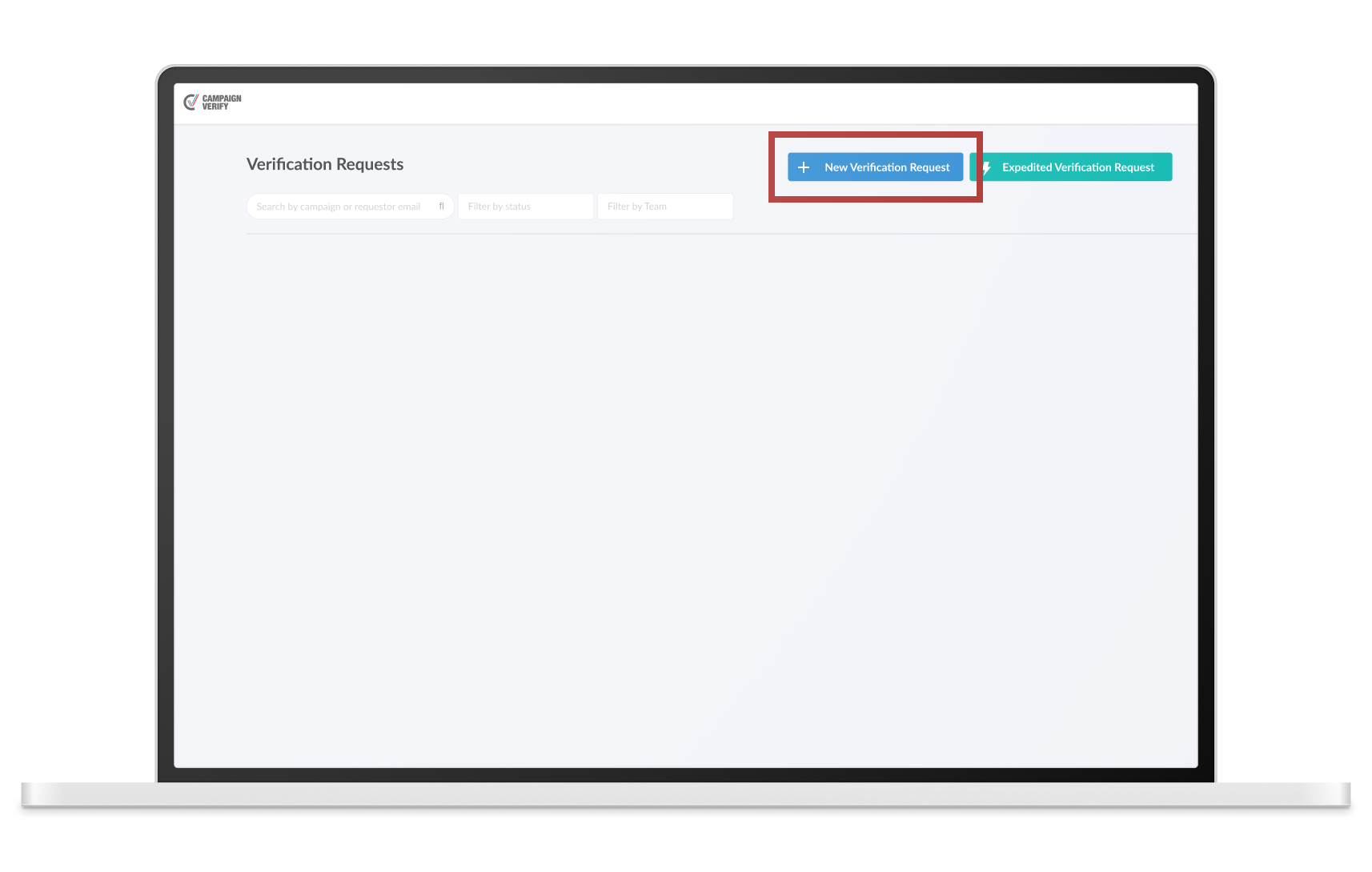
Once you’re signed up and logged into the portal, click “+New Verification Request,” and select a State/Local or a Federal submission form. If your submission is urgent, you may consider our expedited path (for a higher fee) and click “Expedited Verification Request.”

03

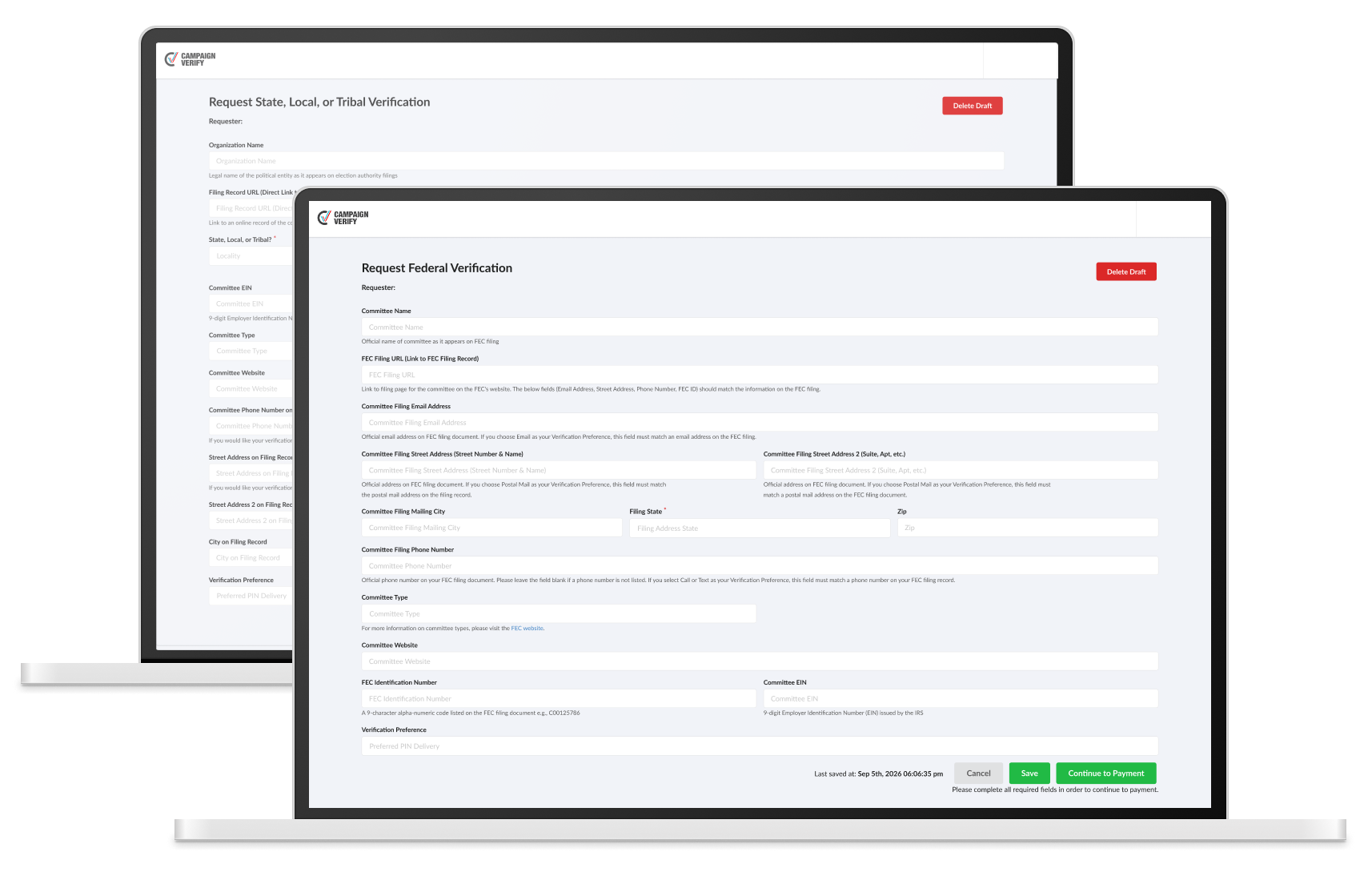
Follow the instructions on the form and provide all required information. Make sure the information is current and matches the information listed on your online filing record with the FEC or a State, Local, or Tribal election authority.

04

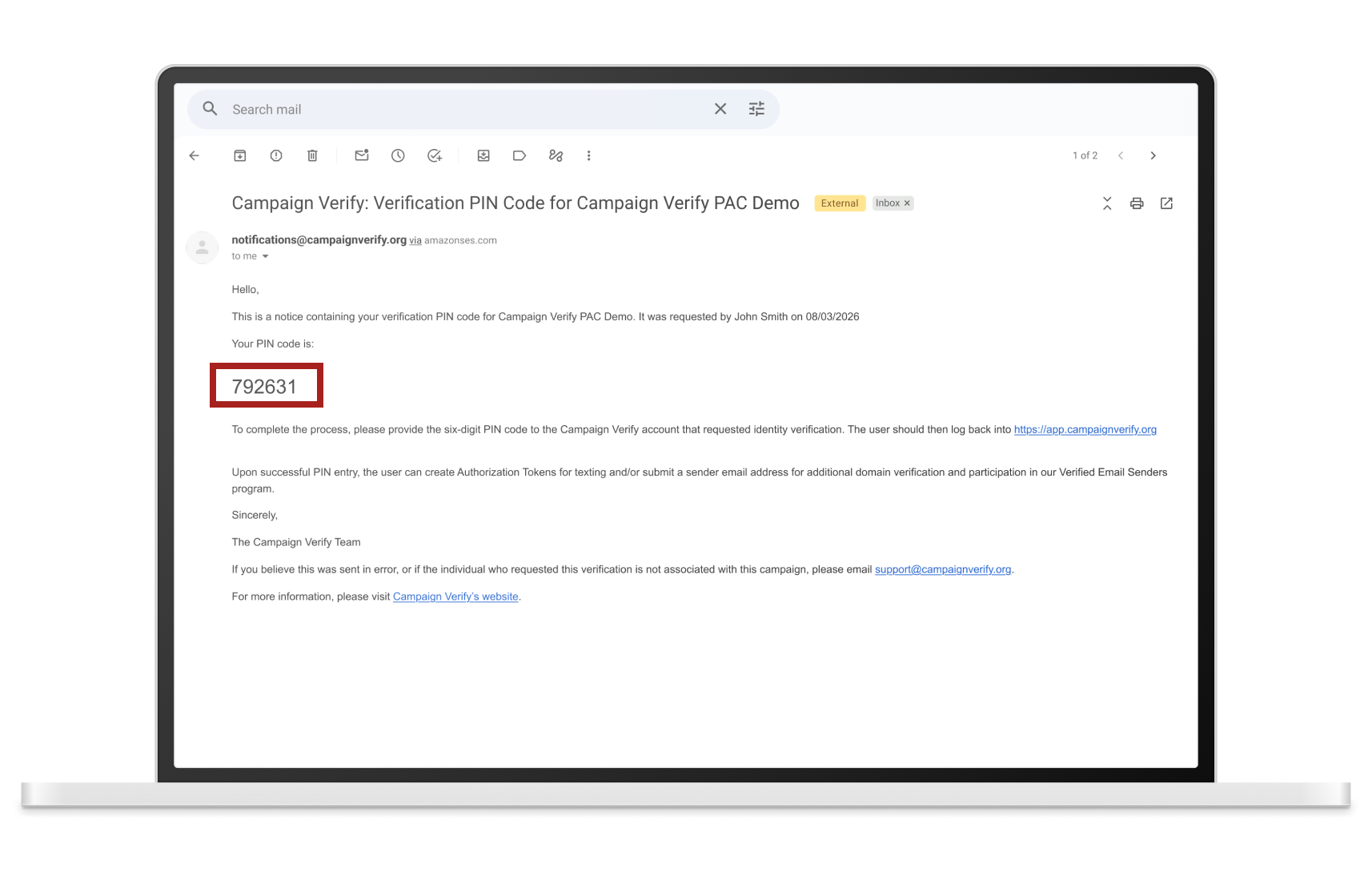
After payment, your request will be submitted to Campaign Verify for manual processing. Once approved, a secure six-digit PIN code will be sent to either the email address, phone number, or postal address listed on the online filing record. Campaign Verify can only share the PIN with an email address, telephone number, or postal address listed on a current published filing. This PIN code is what allows Campaign Verify to determine an authentic submission.

05

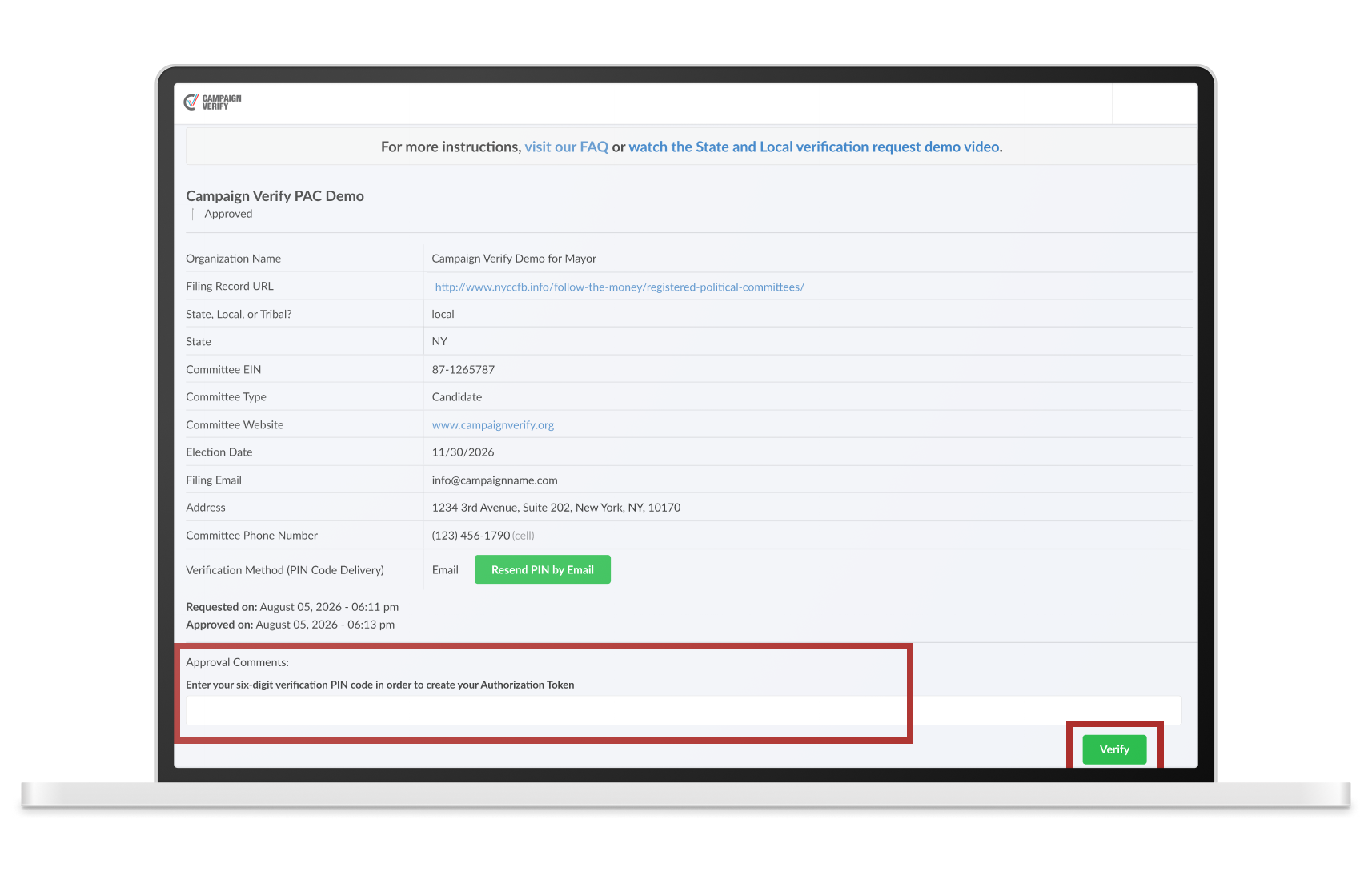
Once you receive the PIN code, log back into the Campaign Verify portal (https://app.campaignverify.org/) with the account that submitted the request, click on your submission, enter the PIN code, and click “Verify.”

Once the PIN code has been successfully entered and the request is “Verified,” proceed to creating Authorization Tokens for text messaging and/or submit a sender email address for domain verification and participation in the Verified Email Senders program.
6.0

VERIFICATION FOR TEXT MESSAGING

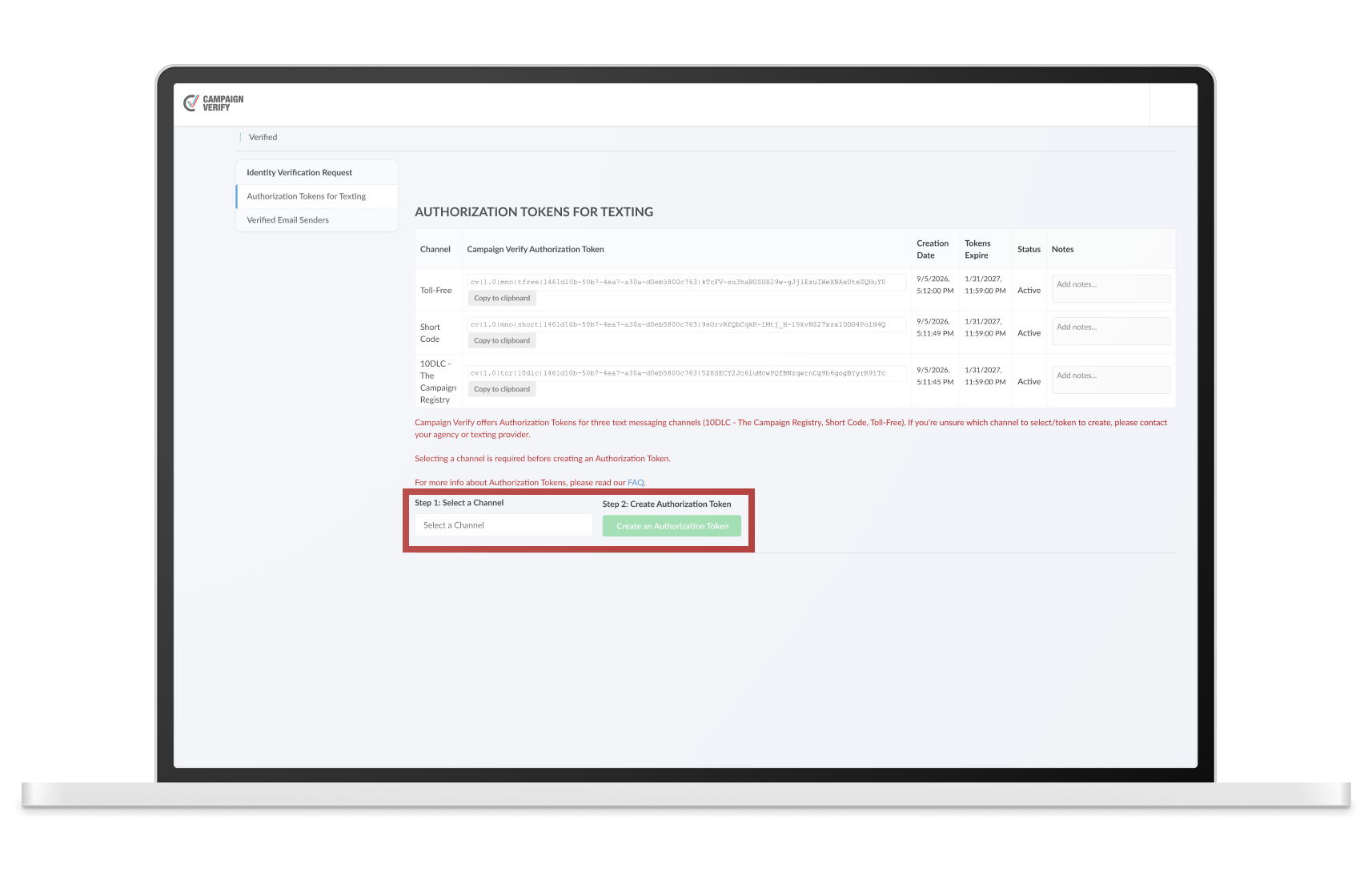
Click “Select a Channel,” select the applicable channel, and click “Create an Authorization Token.” We offer three distinct tokens for three messaging channels: 10DLC – The Campaign Registry, Short Code, and Toll-Free. If needed, you can create tokens for multiple channels, and/or multiple tokens for the same channel.

IF YOU DON’T KNOW WHICH TOKEN(S) TO CREATE, PLEASE ASK YOUR TEXTING VENDOR OR AGENCY WHICH MESSAGING CHANNEL(S) THE COMMITTEE IS USING.

Copy and provide the Authorization Token(s) to your Campaign Service Provider (CSP) or texting platform provider (as instructed by them). Your provider will submit 10DLC tokens to The Campaign Registry to unlock special political 10DLC campaigns and throughputs, and your provider will submit Short Code and Toll-Free tokens to their connectivity partner.

6.0

VERIFICATION FOR EMAIL

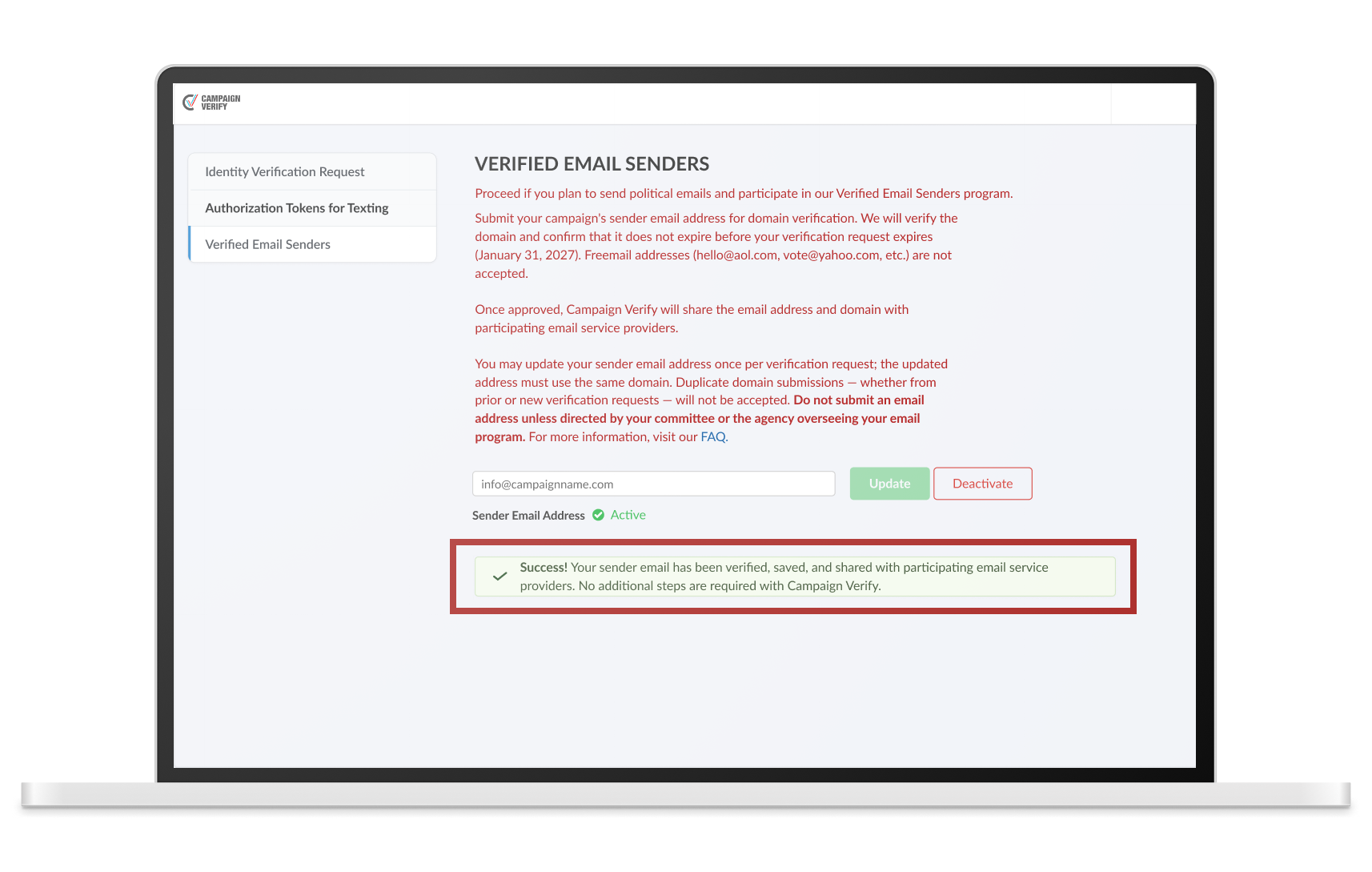
Submit the committee’s sender email address, which will undergo an additional domain verification (typically, under one minute). Campaign Verify will inform you of the outcome on the page. If successful, Campaign Verify will share the sender email address with participating email service providers. If rejected, Campaign Verify will present the relevant reason, and you will have the opportunity to resubmit.

Please refer to our Verified Email Senders FAQ for details.

Voting booths with American flags
+35KVERIFICATION REQUESTS PROCESSED